Fleta Pro – USB Link Compatibility Check
- FLETA PRO - FLETA ESC USB Link compatibility check -
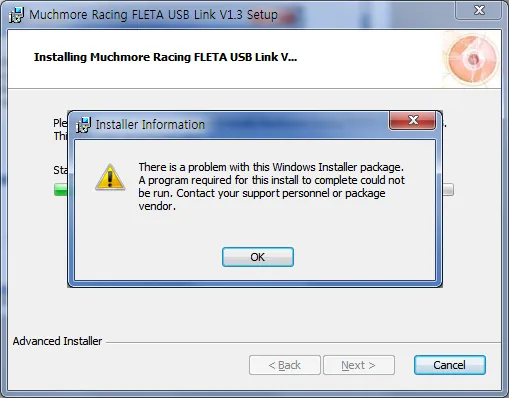
If you can not finish installed program, check the following.
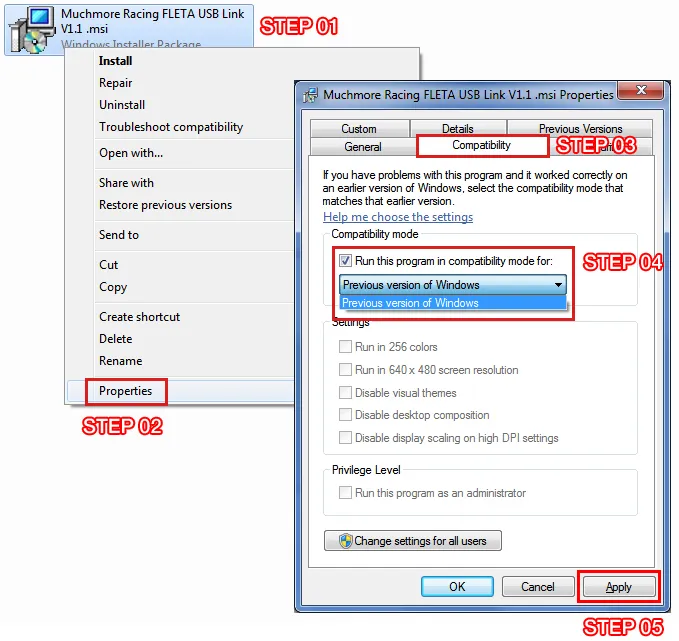
STEP 01
Install icon mouse left button click.
STEP 02
Properties click.
Properties window open.
STEP 03
Compatibility Tab click.
STEP 04
Select to 'Previous version of Windows' and click the checkbox of 'Run this program in compatibility mode for :'.
STEP 05
Click the Apply.
Reclick the install icon.